Gut Instinct was my first full UX/UI case study, and it reshaped how I see design. I discovered a love for creating user-facing experiences that solve problems with empathy and clarity, proving that even simple solutions can have meaningful impact.
Key lessons I took away:
Center the user — Keeping our audience in focus helped us prioritize what really mattered.
Design every touchpoint — From onboarding to error states, each screen shapes the experience.
Adapt with flexibility — Constraints and feedback pushed us to adjust and still move forward.
Value collaboration — Working with my partner strengthened the solution and revealed blind spots.
Thanks to Bits of Good, this project gave me both confidence and a solid foundation in UX/UI, showing me how intentional design can drive real change.
If given more time, I would:
Run additional usability tests to refine onboarding and streamline the review flow.
Expand the platform to cover off-campus restaurants and smaller eateries.
Enhance the support page with pre-filled templates and live chat for faster reporting.
Explore features like allergy detection through photo uploads or barcode scanning.
Design a companion dashboard for dining staff to manage flagged items and respond to student feedback.
A student-centered dining tool designed to help college students with dietary restrictions confidently navigate campus food options, minimize risk, and feel seen.
Gut Instinct
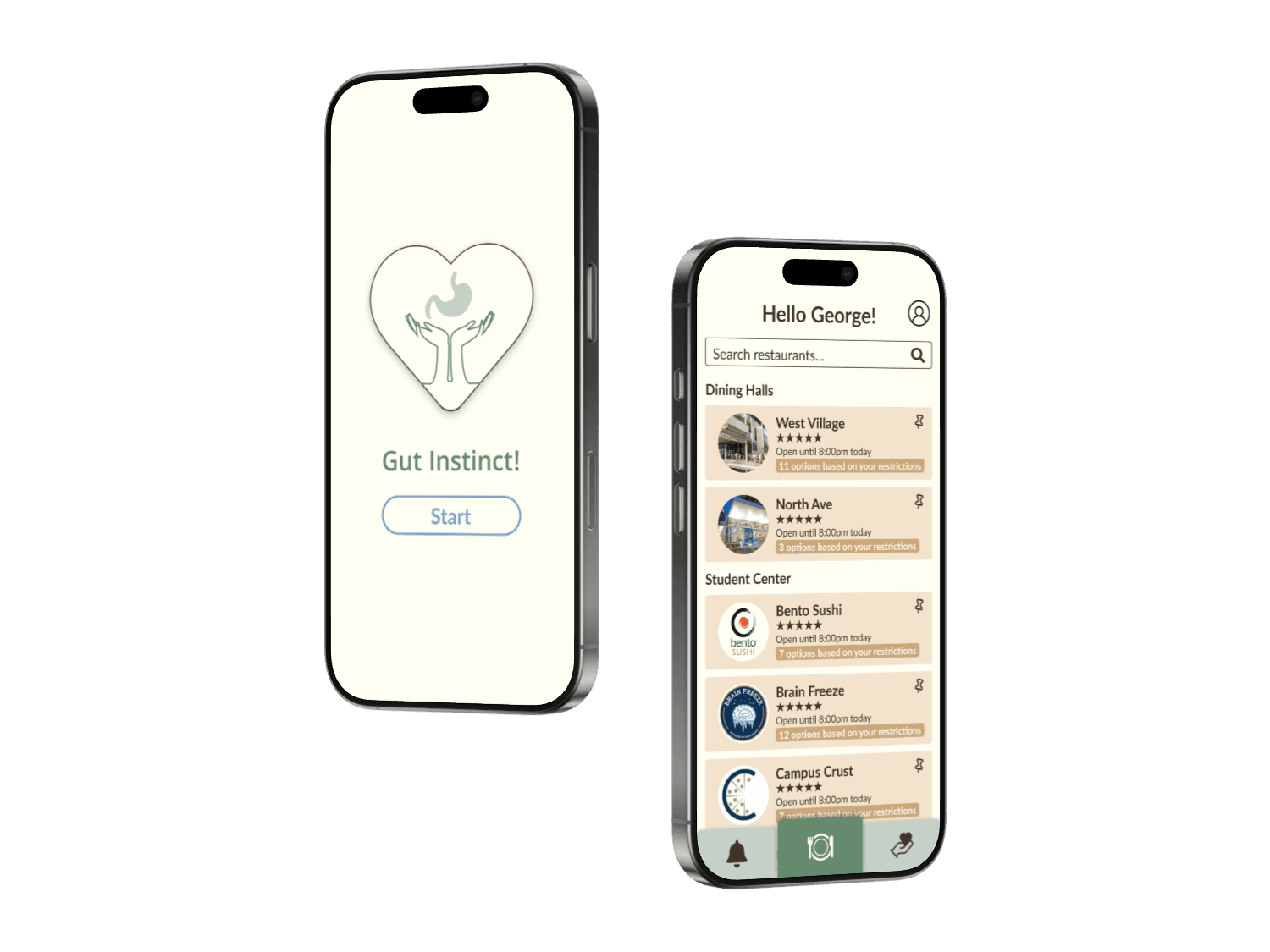
Product requirements, wireframing, prototyping, design system, high-fidelity mockups
Gut Instinct is a case study developed during the Bits of Good Design Bootcamp, where I partnered with another designer to address the challenge students with dietary restrictions face when navigating campus dining.
We designed a personalized dining app that allows students to input their dietary needs, discover safe meal options on campus, and view ingredient transparency before ordering. To strengthen trust and accountability, the app also enables users to leave feedback, read peer reviews, and directly report issues such as cross-contamination to dining services.
Our final prototype showcased clear onboarding, personalized food recommendations, community-driven feedback, and a support page for safety reporting, creating a more inclusive and confident dining experience for students with dietary restrictions.
2 - UX/UI Designers
10 weeks (Spring 2025)
Overview
My Role
Understanding the Users
Team
Timeline
Summary
UX/UI Designer
The
Challenge
Research
& Insights
User Flow
& Ideation
Wireframing
& Iteration
High-Fidelity
Designs
Reflection
Navigating college dining as a student with dietary restrictions can be
overwhelming. At Georgia Tech, students with allergies, intolerances, or dietary preferences like vegetarianism or halal face key challenges:
Unclear Labeling
& Lack of Transparency
Dining halls often fail to clearly label ingredients, making it hard for students to know what’s safe to eat.
Even when food is labeled, shared spaces and equipment can cause unintentional exposure to allergens.
Students with dietary restrictions frequently face limited choices, leaving them excluded from campus dining.
Cross Contamination
Few inclusive Meal Options
Goal
Design a user-friendly, informative solution that empowers college students with dietary restrictions to confidently discover safe, satisfying campus dining options by reducing risk, confusion, and frustration.
To design a solution grounded in real needs, we conducted 5 in-depth interviews with Georgia Tech students managing dietary restrictions. Participants included vegetarians, students with food allergies, and those following religious diets.
After our user interviews, we came to the conclusion that students want:
Clarity of food information
Greater sense of inclusion
Confidence in meal choices
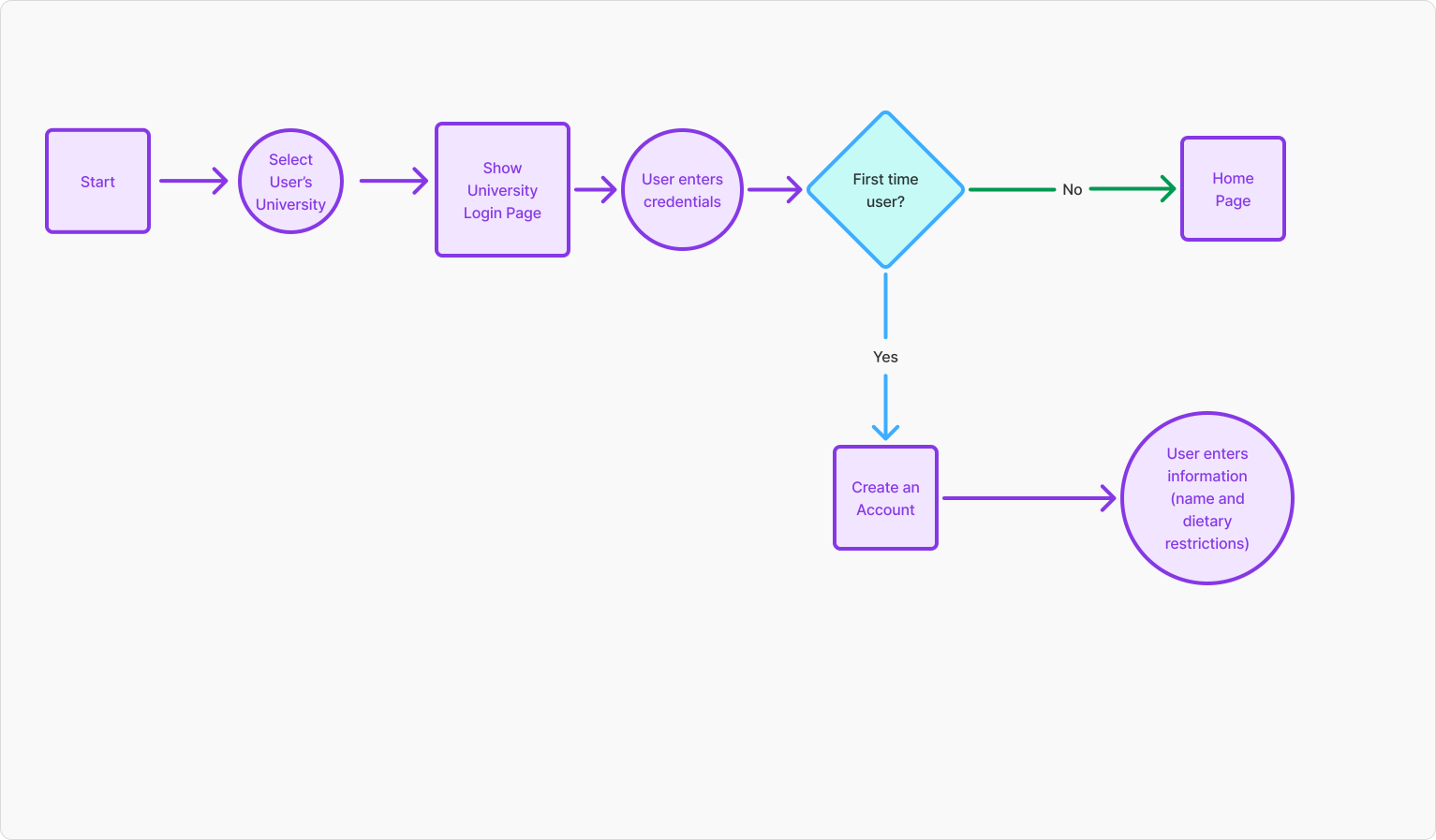
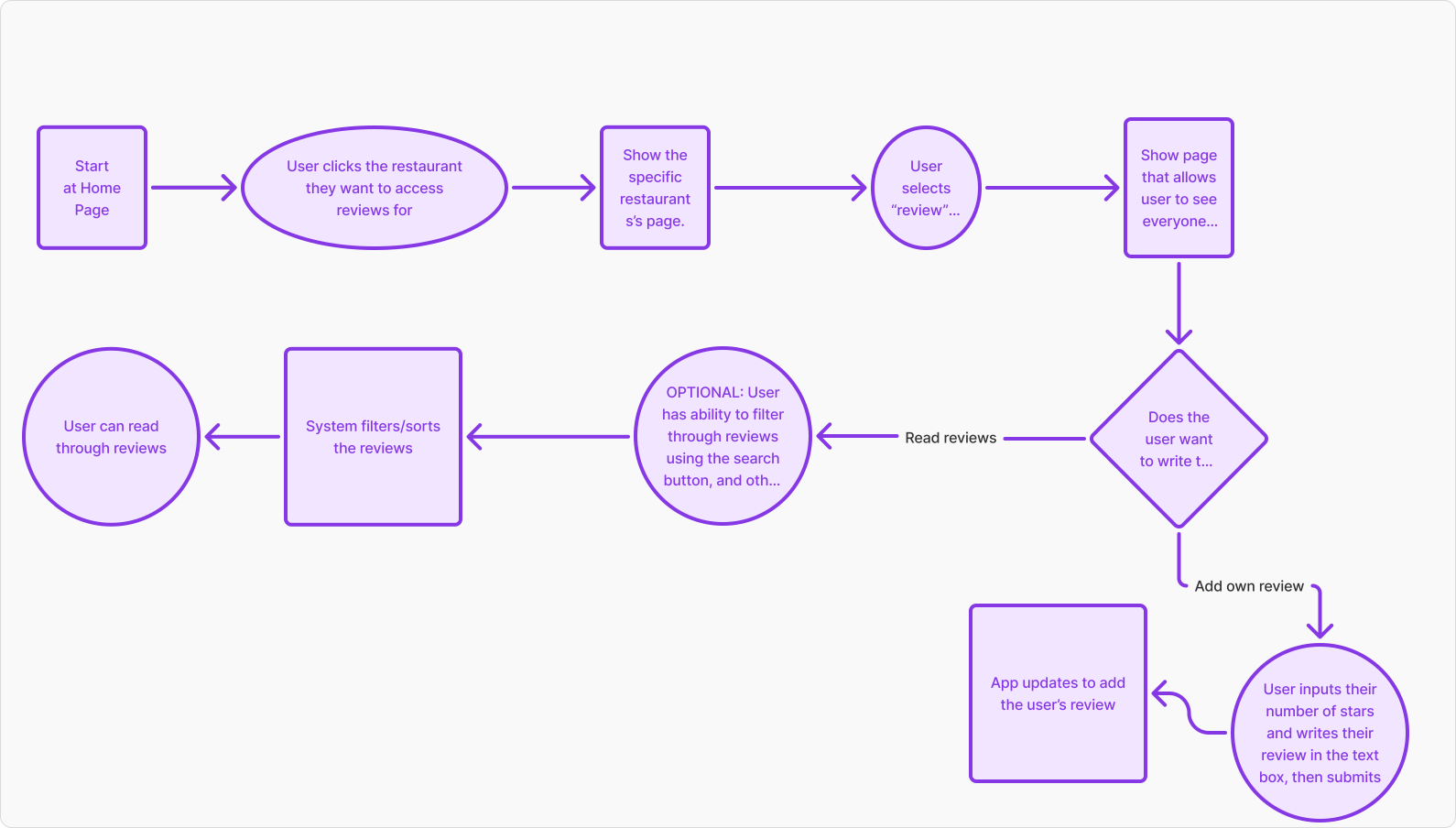
We defined 2 core flows to capture how students would interact with the tool:
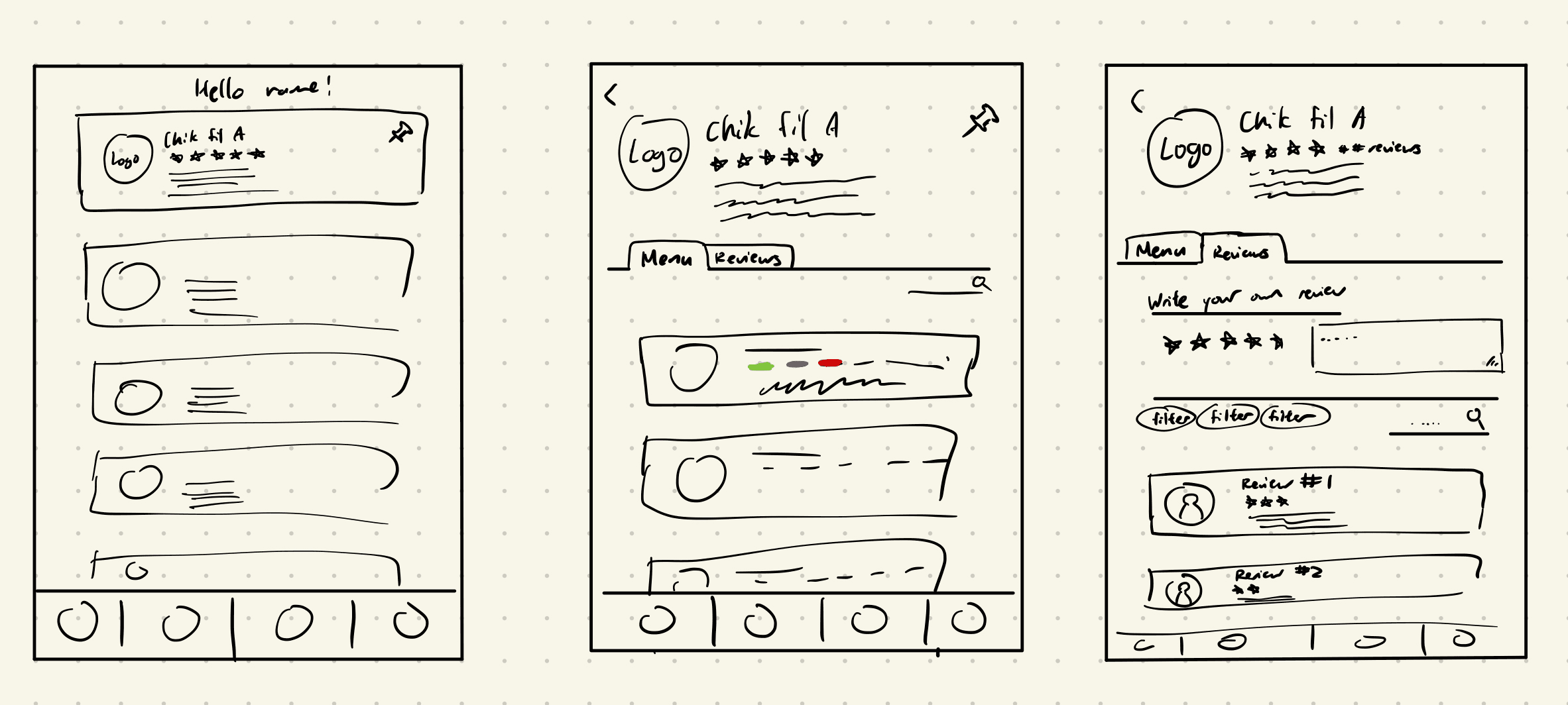
Before moving to designing on Figma, we created low-fidelity sketches to explore layout options and test heirarchy. Sketching the screens by hand helped us quickly visualize layouts and refine the structure of Gut Instinct.
We moved into mid-fidelity wireframes to map out flows with more detail. These grayscale layouts allowed us to focus on information hierarchy, navigation, and functionality without distraction from visuals.
By validating early, we gained confidence that our design aligned with student needs, allowing us to move into high-fidelity with stronger foundations.
To validate our designs, we conducted usability testing with students managing dietary restrictions. Feedback confirmed that most flows felt clear and intuitive, which reinforced our direction. While major changes weren’t necessary, we incorporated a few refinements, including:
Adjusting navigation labels for clarity
Simplifying review submission steps
Improving spacing and consistency across screens
Login → Allows student to set up the personalization of Gut Instinct by choosing their food restrictions.
Review Page → Page that allows student to report any problems faced at any on campus dining.
User Flows
Login
Review Page
Low- Fidelity Sketches
Mid-Fidelity Wireframes
Key Screens
For the Future
Takeaways
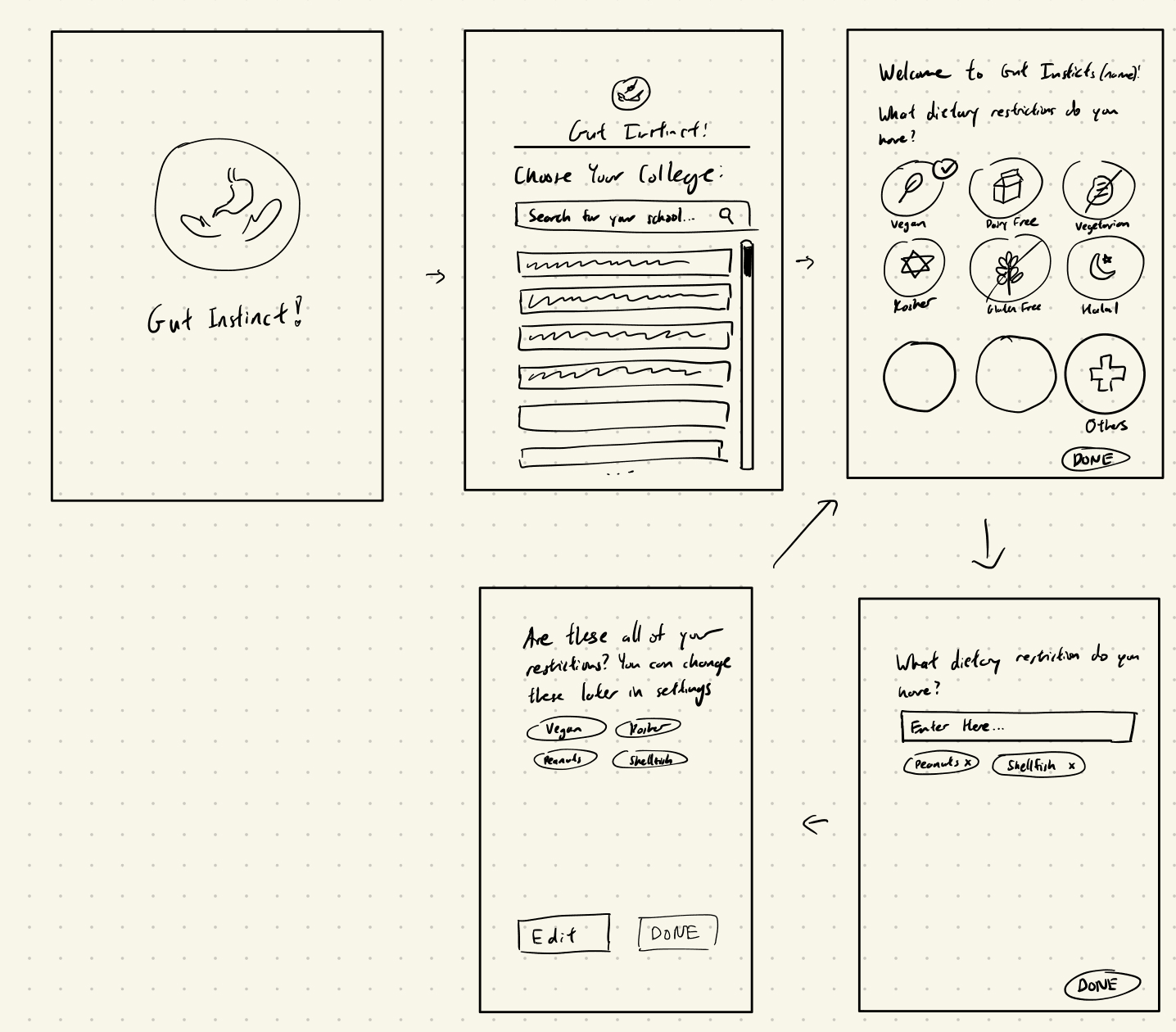
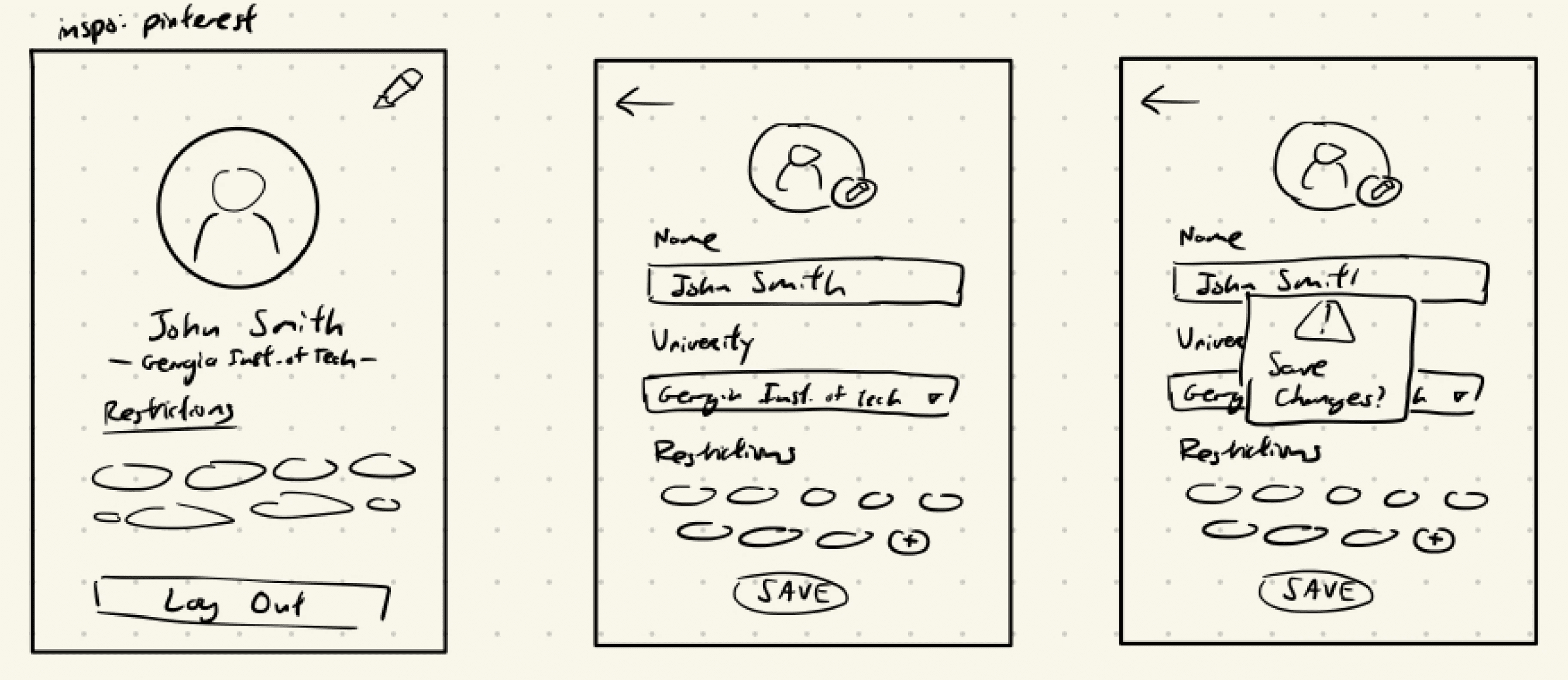
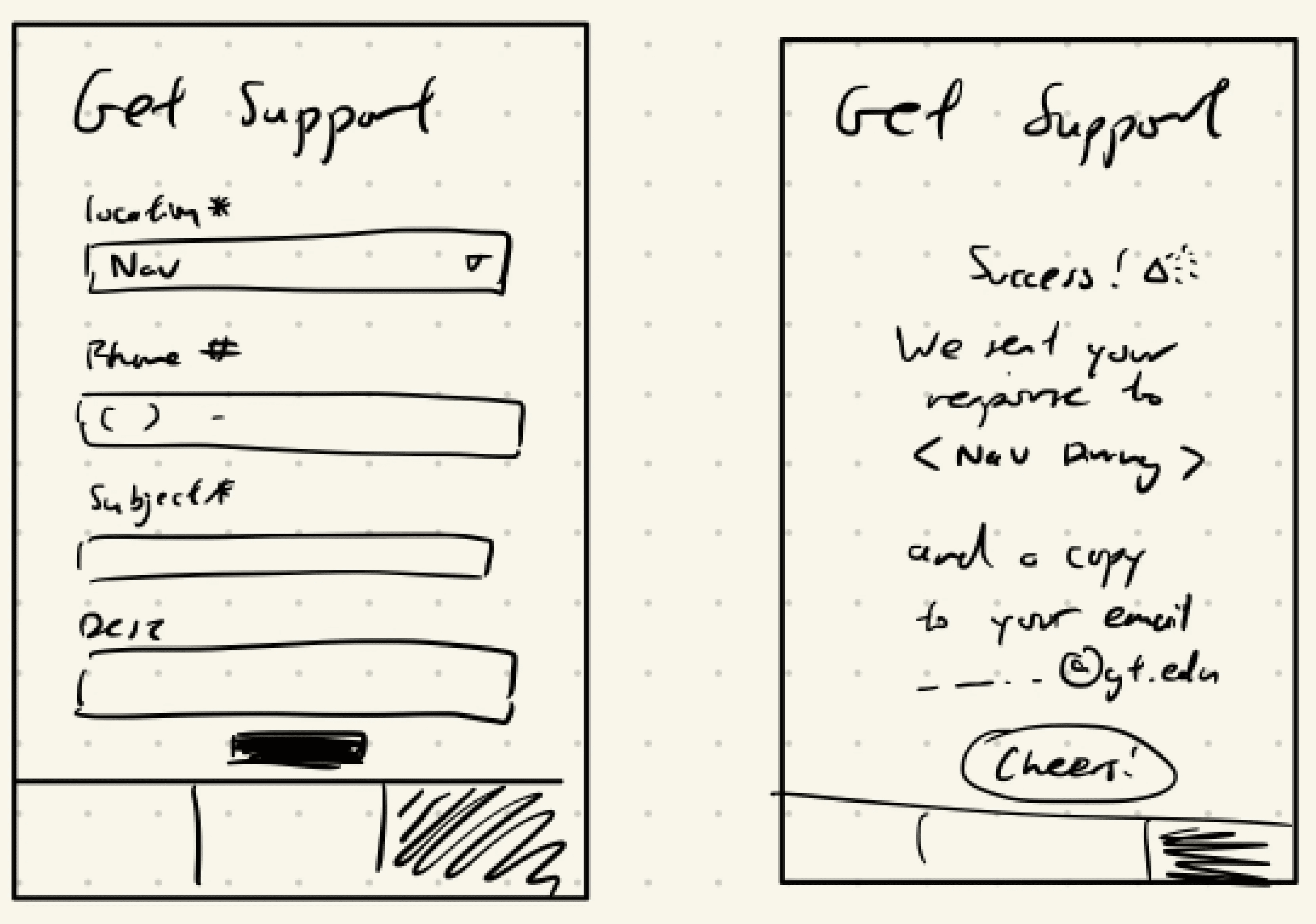
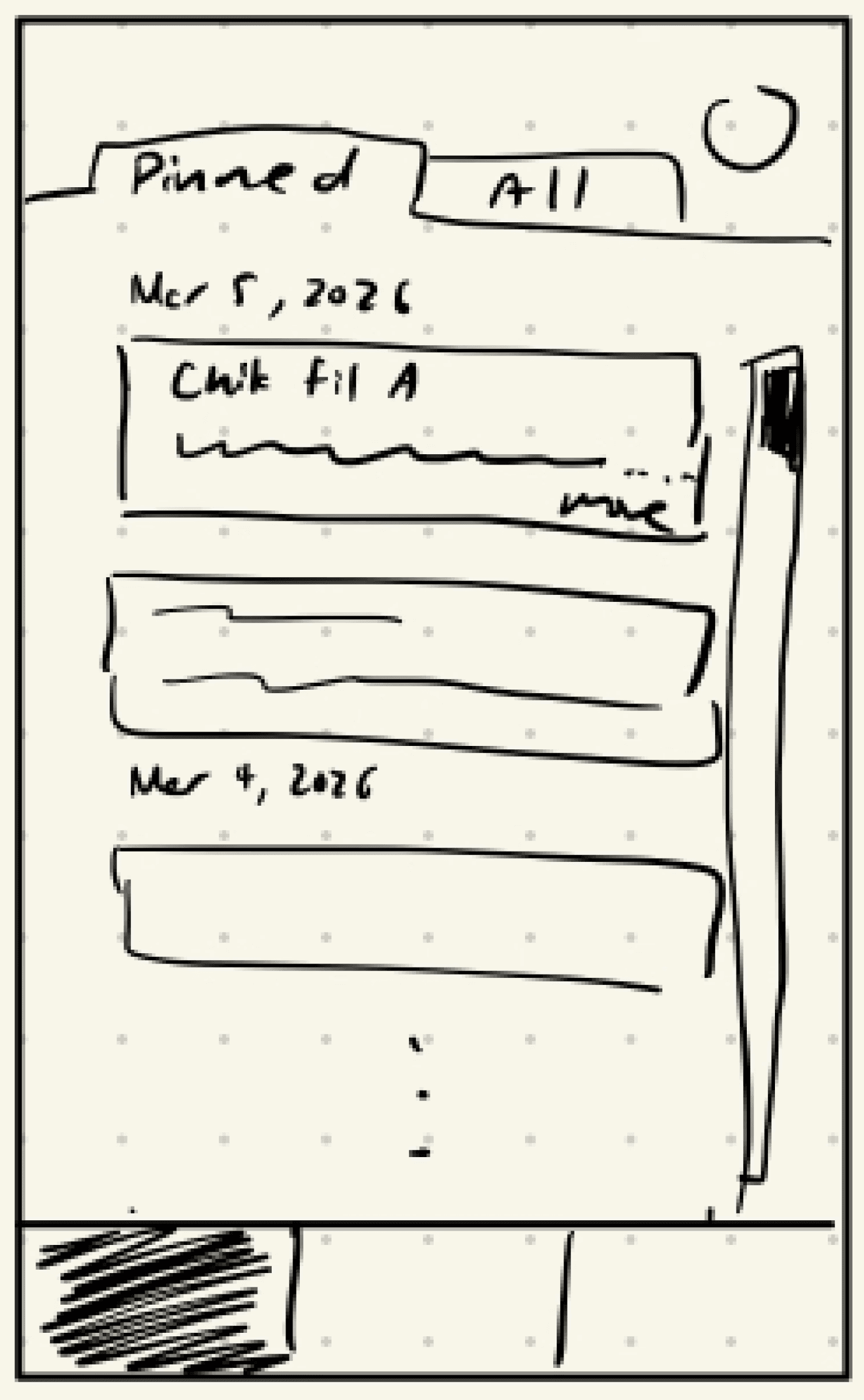
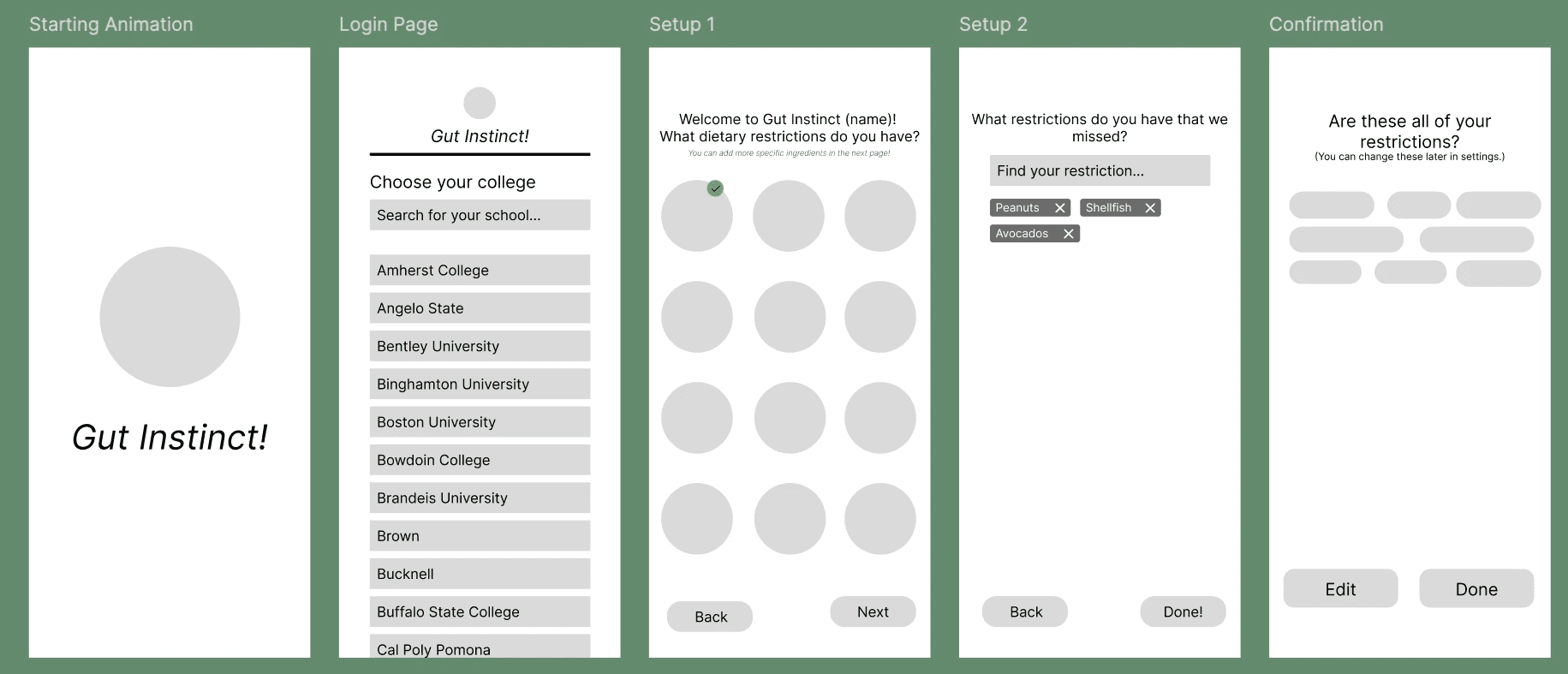
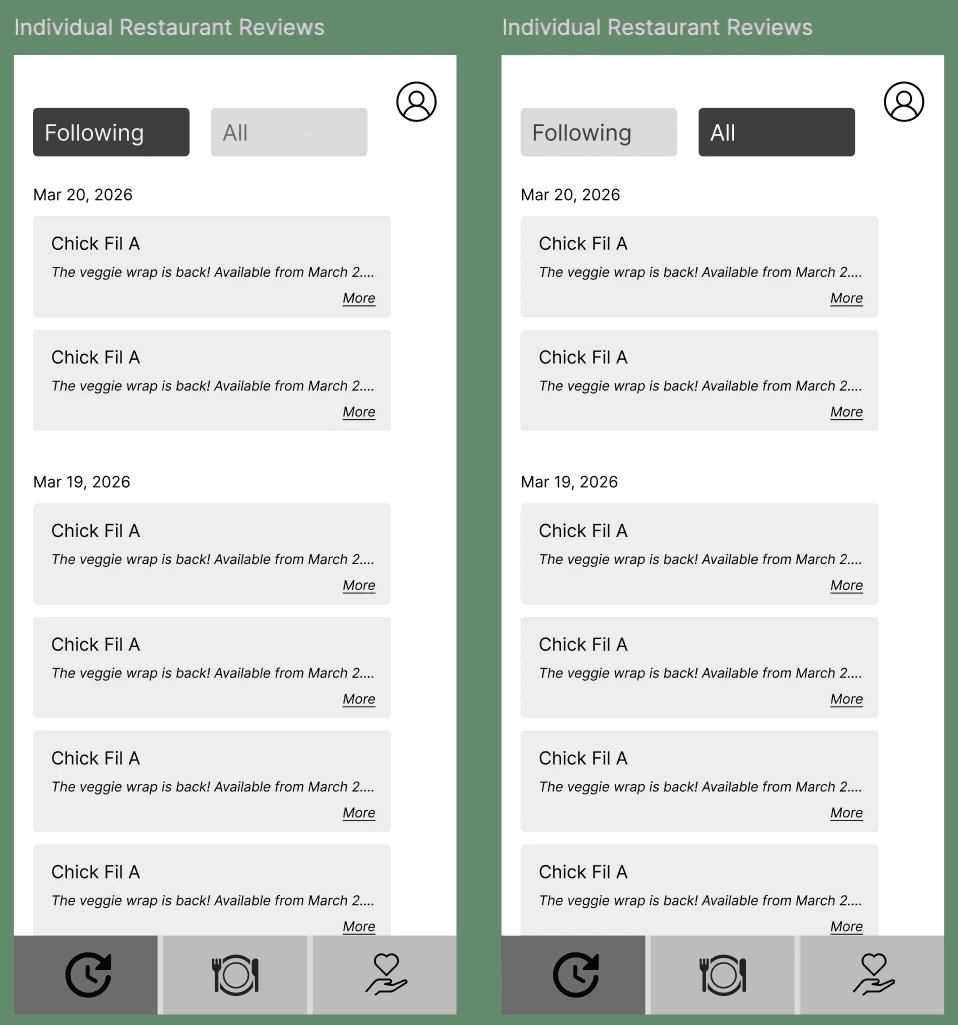
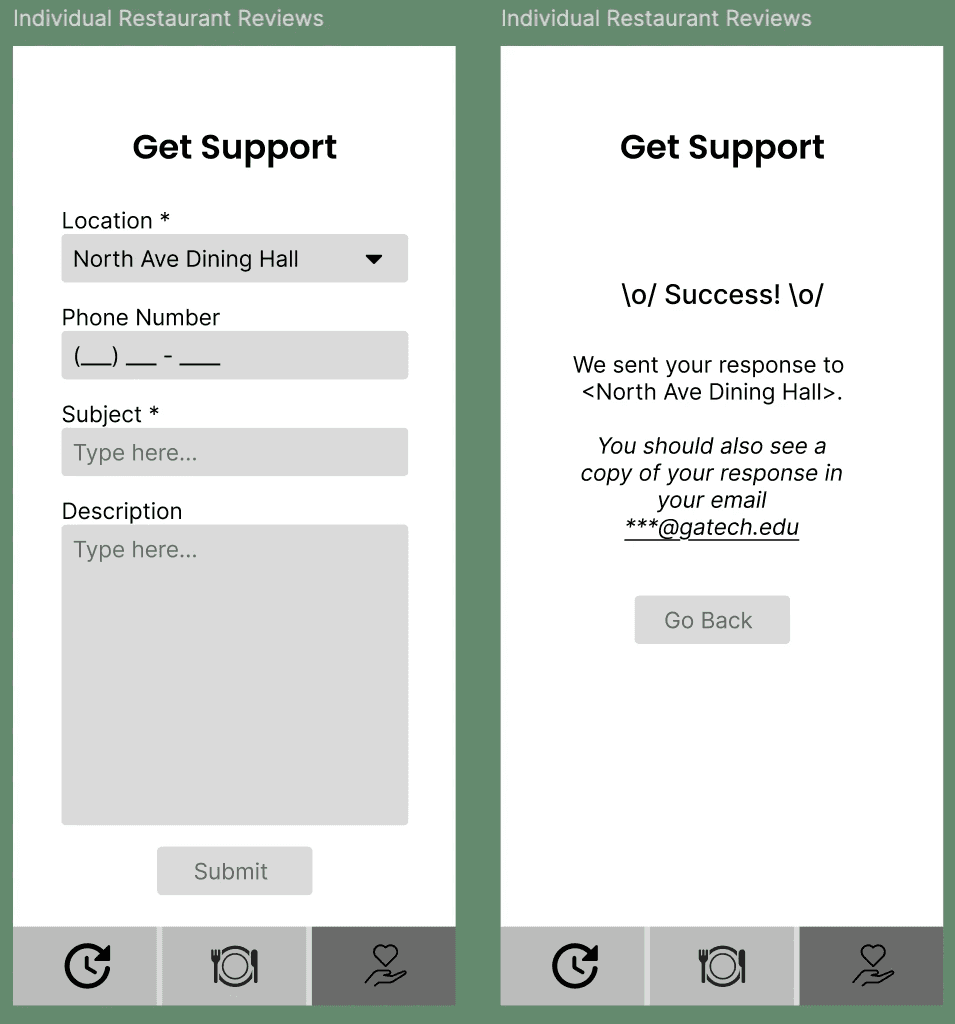
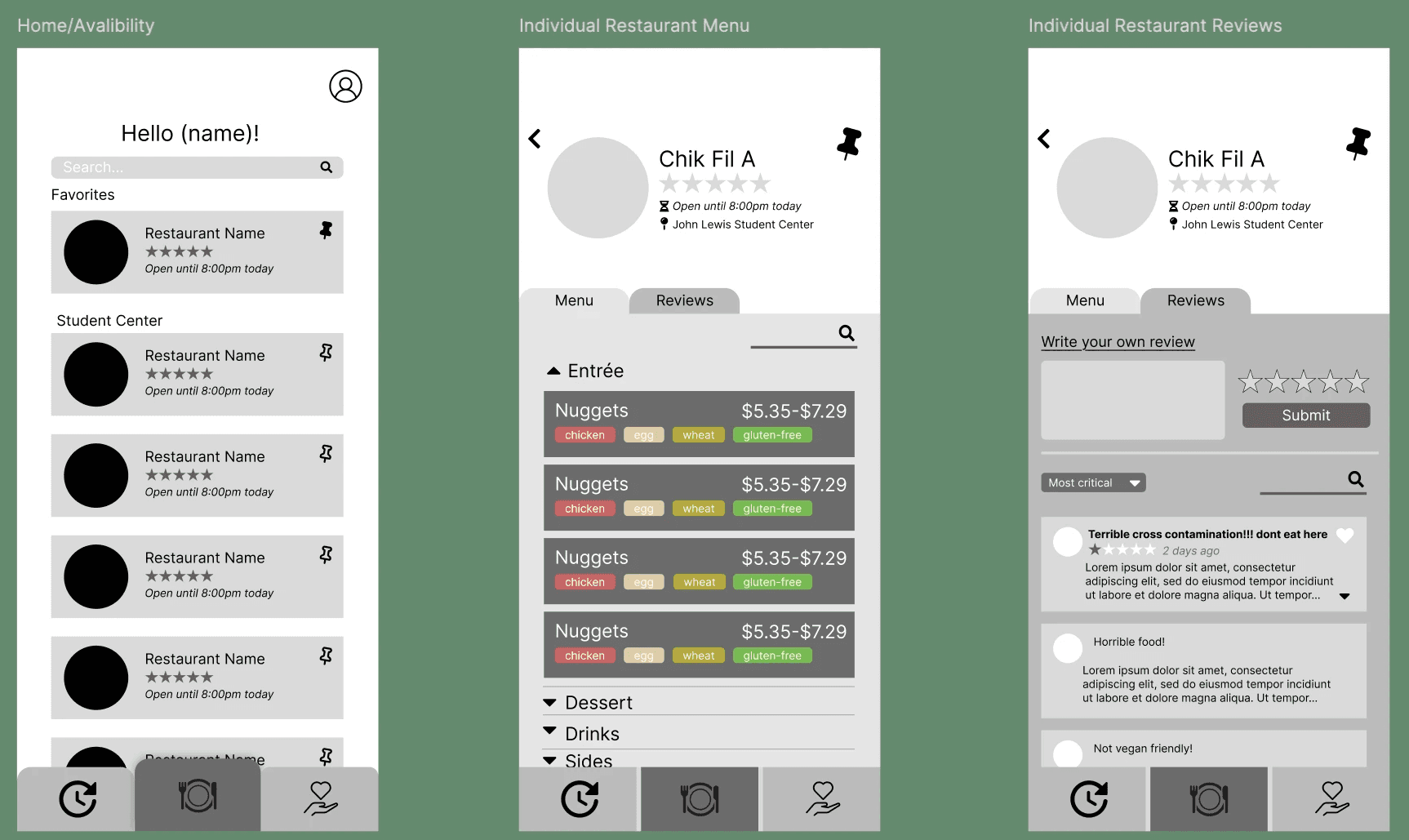
Personalized Onboarding— Users select their university and dietary restrictions, creating a tailored dining experience from the start.
Centralized Campus Dining Hub— Homepage aggregates all on-campus dining options with real-time filtering based on user restrictions.
Live notifications — Students receive instant updates on menu changes, ingredient availability, or new safe options.
Profile management — Easy editing of restrictions ensures flexibility as users’ needs evolve.
Transparent reviews — Each dining location features peer reviews and ratings, empowering students with shared experiences around safety and quality.
Direct support channel — In-app reporting system lets students flag cross-contamination or safety issues directly to dining staff.
SS